Introspection
Prisma introspects a MongoDB schema by sampling the data stored in the given database and inferring the schema of that data.
For the purposes of illustrating introspection, this guide will help you setup a MongoDB from scratch. But if you have a MongoDB database already, feel free to jump to Initializing Prisma in your project.
Setting up your Database
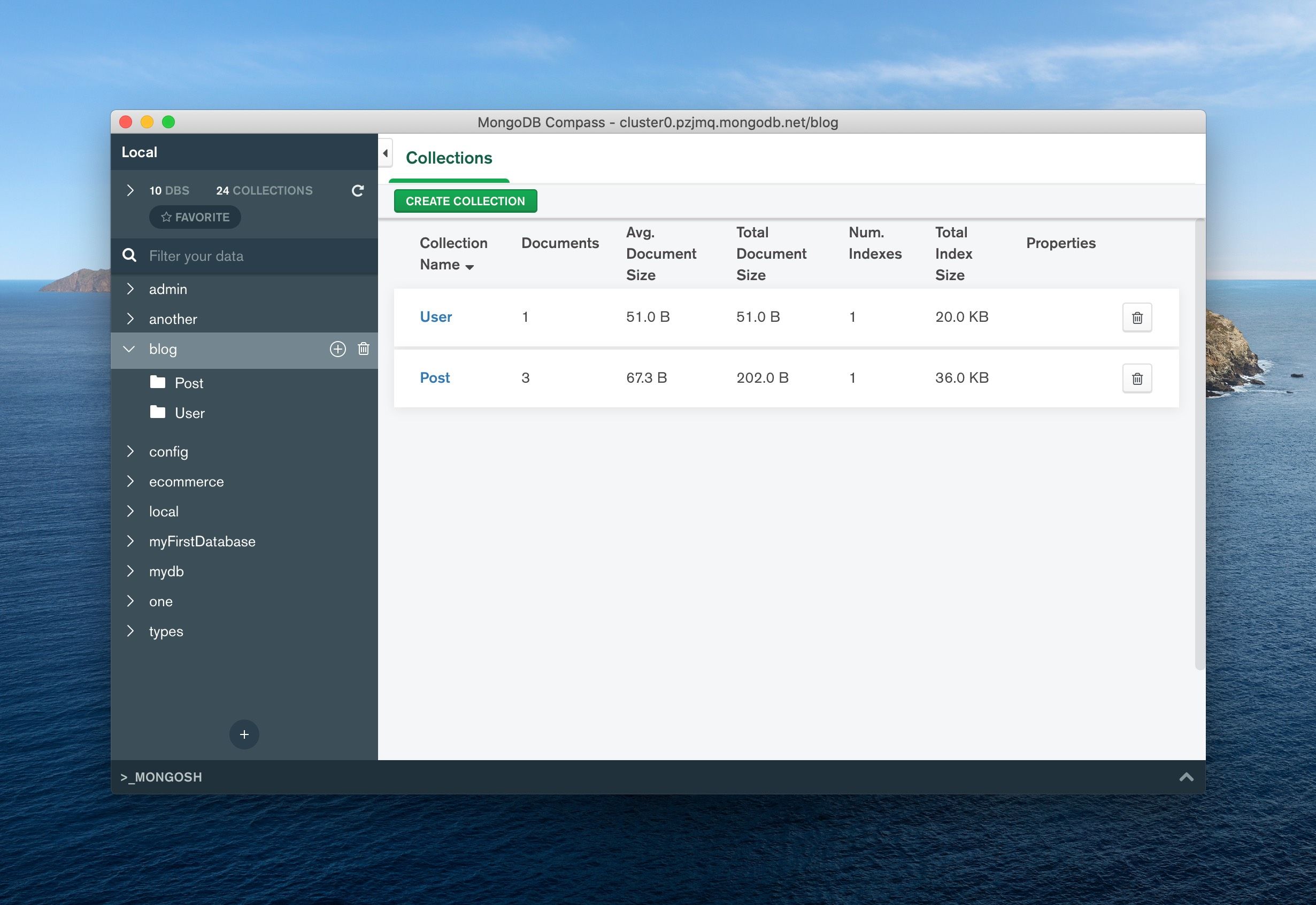
To see this in action, first create a blog database with 2 collections: User and Post. We recommend MongoDB Compass for setting this up:
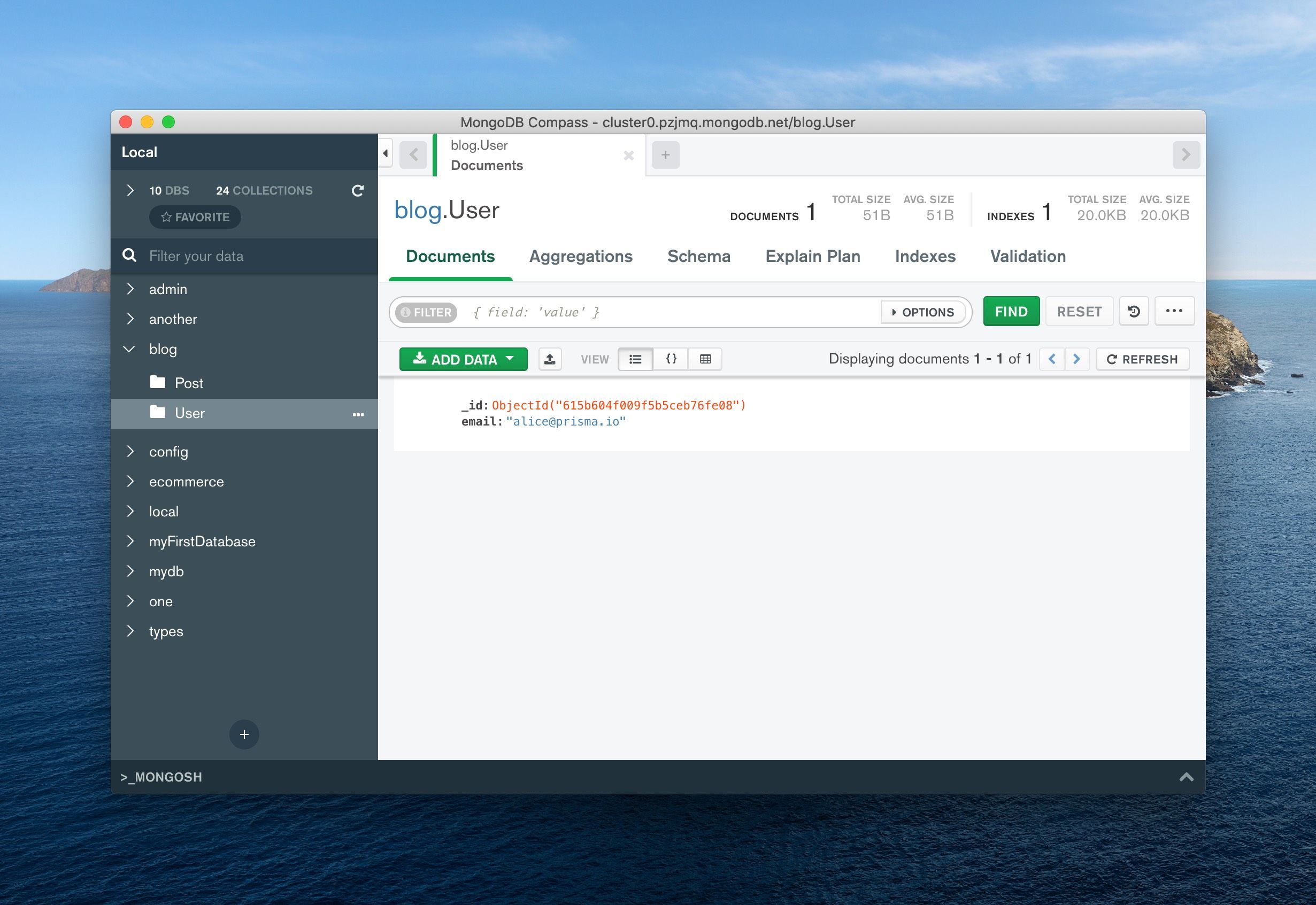
First, add a user to our User collection:
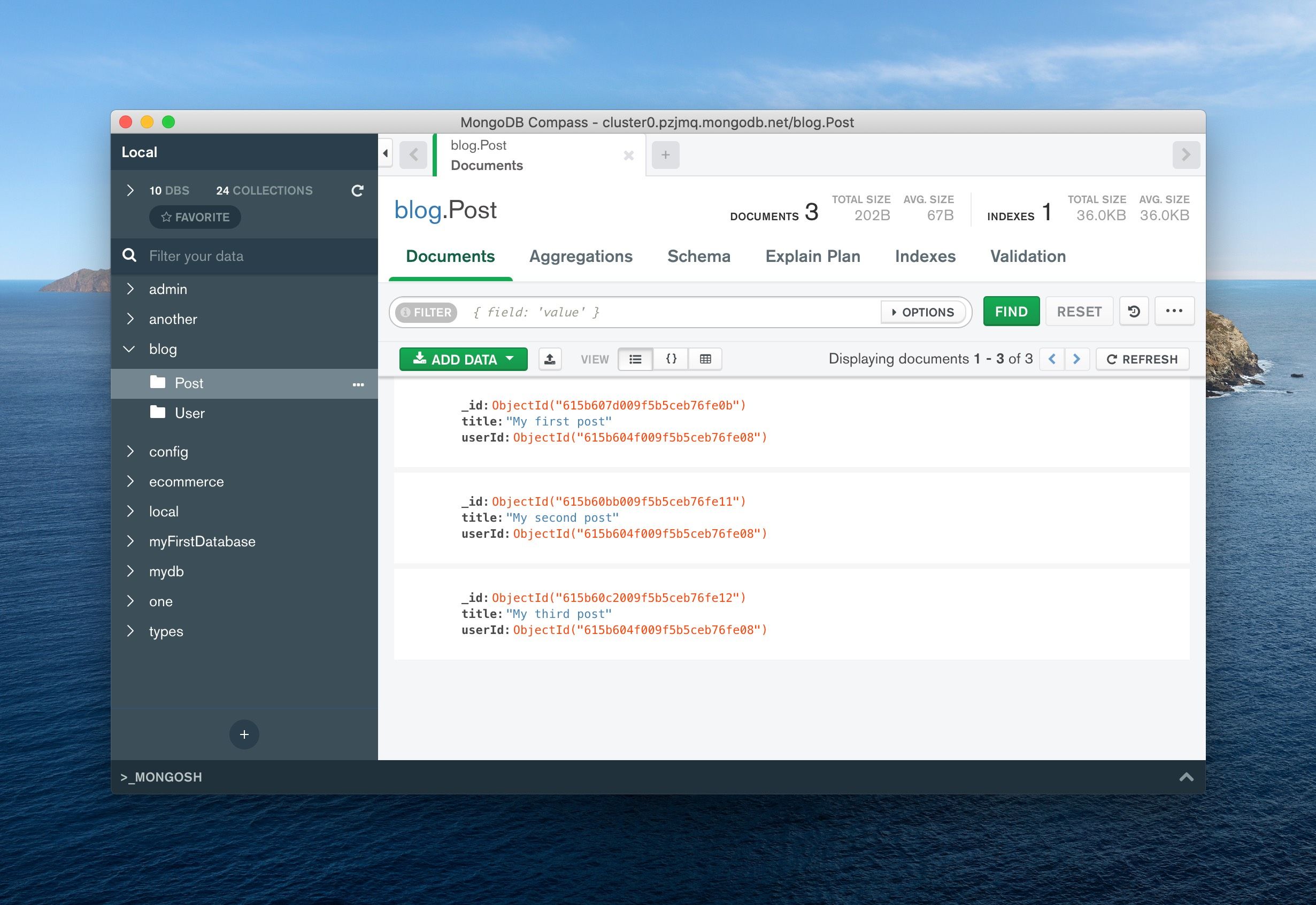
Next, add some posts to our Post collection. It's important that the ObjectID in userId matches the user you created above.
Initializing Prisma
Now that you have a MongoDB database, the next step is to create a new project and initialize Prisma:
mkdir blog
cd blog
npm init -y
npm install -D prisma
npx prisma init
Initializing Prisma will create a prisma/schema.prisma file. Edit this file to use MongoDB:
datasource db {
  provider = "mongodb"
  url      = env("DATABASE_URL")
}

generator client {
  provider = "prisma-client-js"
}
Next you'll need to adjust your .env file to point the DATABASE_URL to your MongoDB database
Introspecting MongoDB with Prisma
You're now ready to introspect. Run the following command to introspect your database:
npx prisma db pull
This command introspects our database and writes the inferred schema into your prisma/schema.prisma file:
datasource db {
  provider = "mongodb"
  url      = env("DATABASE_URL")
}

generator client {
  provider = "prisma-client-js"
}

model Post {
  id     String @id @default(auto()) @map("_id") @db.ObjectId
  title  String
  userId String @db.ObjectId
}

model User {
  id    String @id @default(auto()) @map("_id") @db.ObjectId
  email String
}
Tweaking the Schema
To be able to join data using Prisma Client, you can add the @relation attributes to our models:
datasource db {
  provider = "mongodb"
  url      = env("DATABASE_URL")
}

generator client {
  provider = "prisma-client-js"
}

model Post {
  id     String @id @default(auto()) @map("_id") @db.ObjectId
  title  String
  userId String @db.ObjectId
  user   User   @relation(fields: [userId], references: [id])
}

model User {
  id    String @id @default(auto()) @map("_id") @db.ObjectId
  email String
  posts Post[]
}
We're actively working on MongoDB introspection. Provide feedback for this feature in this issue.
And with that, you're ready to generate Prisma Client.
Connect to your Database
Install Prisma Client
Connect to your Database
Install Prisma Client